
See what fills your Mac, and clear it safely.
Femto maps every folder on your disk, tells you what the mysterious “System Data” really is, and cleans up caches, Xcode build products and old downloads — explaining each one before anything is removed.
For macOS 15 and later · Apple silicon and Intel · Nothing leaves your Mac
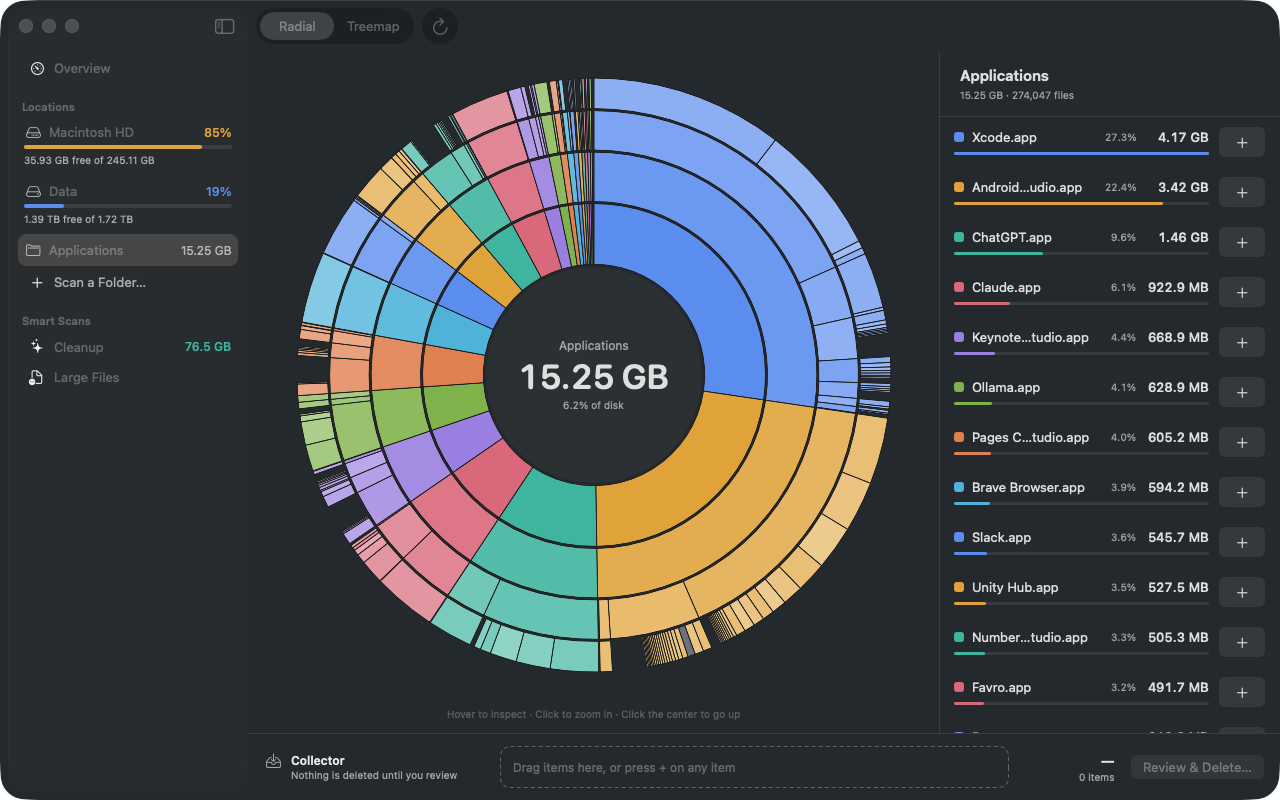
Every folder, at a glance.
Femto scans a whole disk in a minute or two and shows it the way you prefer. Click to zoom into any folder; the largest things are always the biggest shapes.
Sunburst
Each ring is one level deeper. Hover a slice to see its size, click it to zoom in, click the center to go back up.
The list beside it names every item with its share of the folder, so nothing is guesswork.
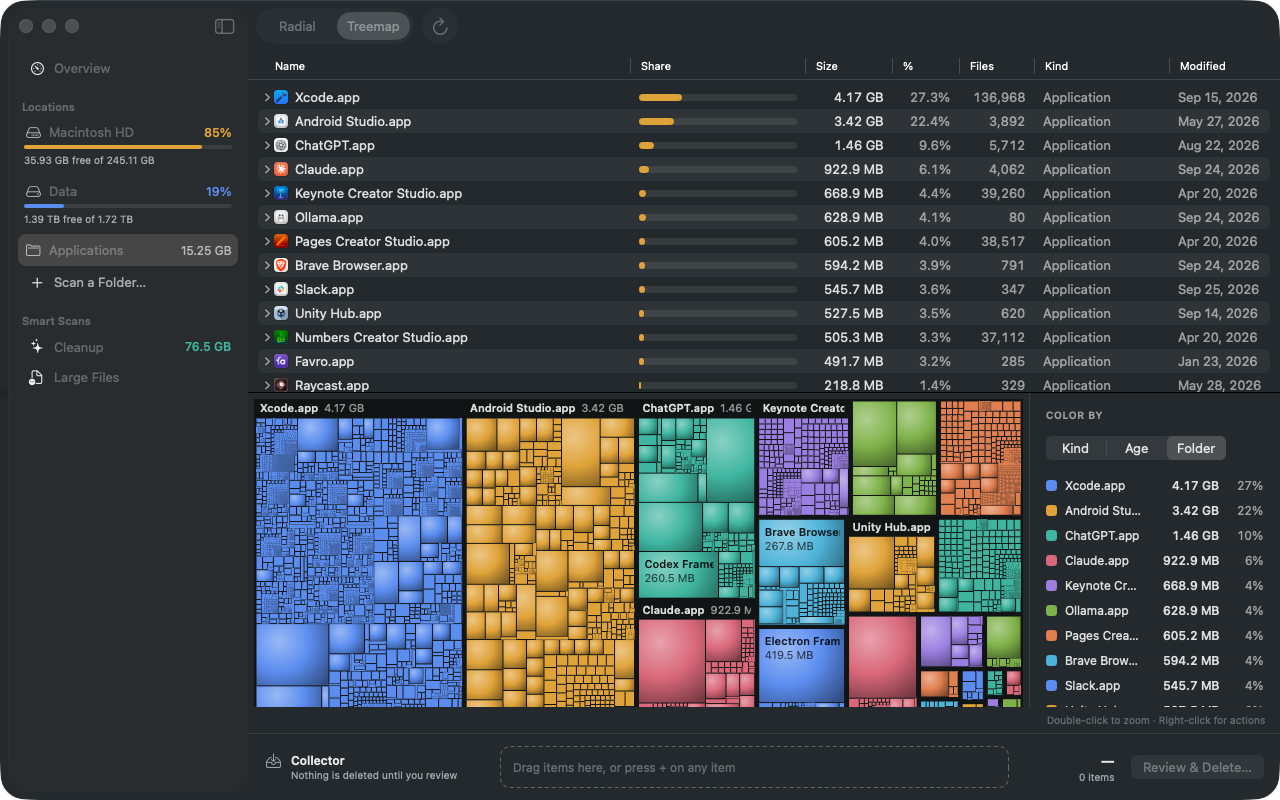
Treemap
A shaded treemap with a folder table above it, for when you want every file in view. Color it by kind of file, by how old it is, or by folder.
Double-click to zoom; right-click to reveal anything in Finder.
Collect, then decide
Found something you don't need? Add it to the Collector — or drag it there from Finder. Nothing is deleted until you review the whole list, and even then it goes to the Trash, so you can put it back.
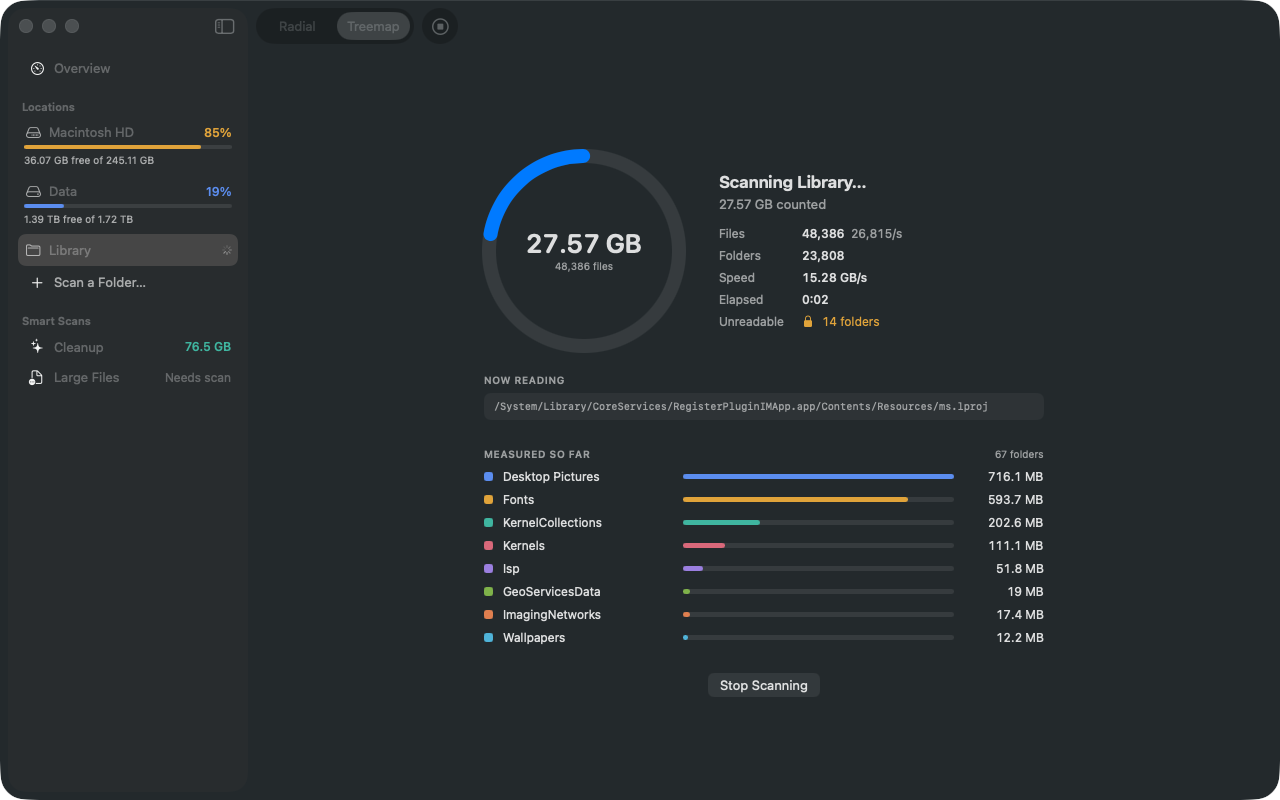
What is “System Data”, anyway?
macOS's storage settings often show tens of gigabytes as “System Data” with no way to look inside. Femto measures every file it can read and shows the difference as Hidden space — then explains what it is made of.
- Local snapshots — Time Machine and system update snapshots, which macOS removes on its own when space runs low.
- System volumes — virtual memory (swap), Preboot, Recovery and update files that live beside your data.
- Protected folders — Mail, Messages and other apps' data, which Femto can measure once you give it Full Disk Access.
- Cloud placeholders — iCloud Drive and other cloud folders that exist only online. Femto never downloads them just to measure them.
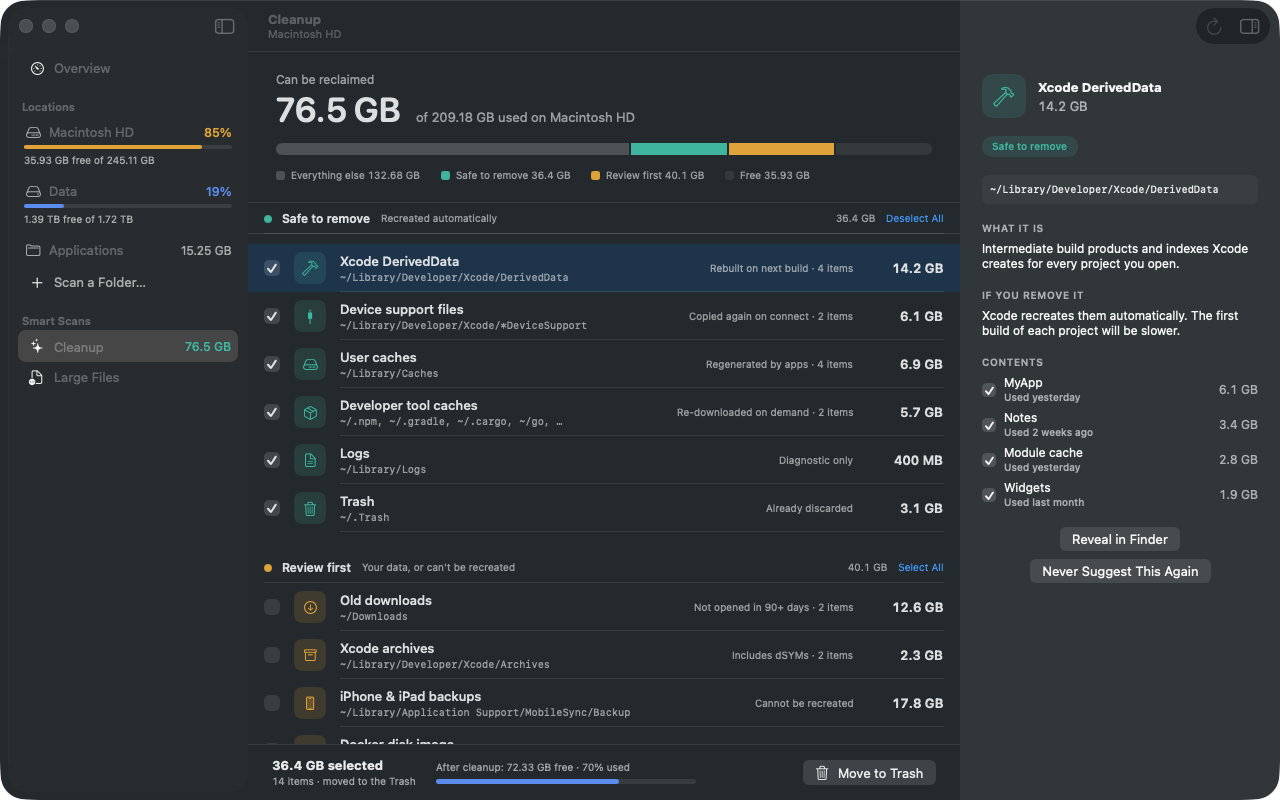
Cleanup that tells you what it's doing.
Femto looks for things that are safe to remove and things you should look at first, and says for each one what it is and what removing it does.
Xcode DerivedData
Build products and indexes. Xcode rebuilds them; the next build of each project is slower.
Simulator & device support
Simulator caches and debug symbols copied from devices, recreated when needed.
Caches & logs
Caches of apps and developer tools (Homebrew, npm, Gradle, Cargo, Go…), and old logs.
Old downloads
Large installers and disk images you haven't opened in 90 days or more.
iPhone backups & Xcode archives
Things that can't be recreated — shown with the device name or build, so you decide.
Docker disk image
Everything Docker holds, with a note on pruning it from inside Docker instead.
You choose, item by item
Pick whole groups or single items, see how much space you'll have afterwards, and move them to the Trash in one go. Rules you never want to see again can be switched off.
Your files stay yours.
Femto reads file sizes and dates on your Mac to show them to you. It has no accounts, no analytics and no tracking, and sends nothing anywhere. It reads only the disks and folders you allow, and deletes only what you choose. Privacy policy
Questions
Does Femto delete anything on its own?
No. Femto only suggests. You pick what goes, review it, and it is moved to the Trash, where you can put it back until you empty it. The only exceptions are items already in the Trash, which Femto tells you it will delete for good.
Why does Femto ask to access my disk?
Mac App Store apps are sandboxed: they can't read your disks until you allow it. Select the disk in the panel Femto shows and click Grant Access. Femto remembers it, so it asks only once.
Do I need Full Disk Access?
No, but it helps. macOS protects some folders (Mail, Messages, other apps' data) even on a disk Femto may read. With Full Disk Access Femto can measure them; without it, they count as hidden space. Turn it on in System Settings ▸ Privacy & Security ▸ Full Disk Access.
Why is my disk's “used” space bigger than what Femto finds?
That difference is hidden space: local snapshots, the system's own volumes and folders Femto may not read. Click the info button next to Hidden space in Femto to see what applies to your Mac.
Will a scan slow my Mac down?
Femto reads many files at once and finishes a typical disk in a minute or two. It skips cloud-only folders instead of downloading them, and you can stop a scan at any time.
Which Macs does it run on?
macOS 15 Sequoia and later, on Apple silicon and Intel Macs.